This week we released our MCP server, a new AI coding agent plugin for Claude Code and Cursor, and started sending new weekly security briefings via email.
Once configured (see the docs or install our plugin below), you can ask questions like:
“I’m seeing a spike in denied requests on my site. Can you investigate what’s happening and help me block the source?”
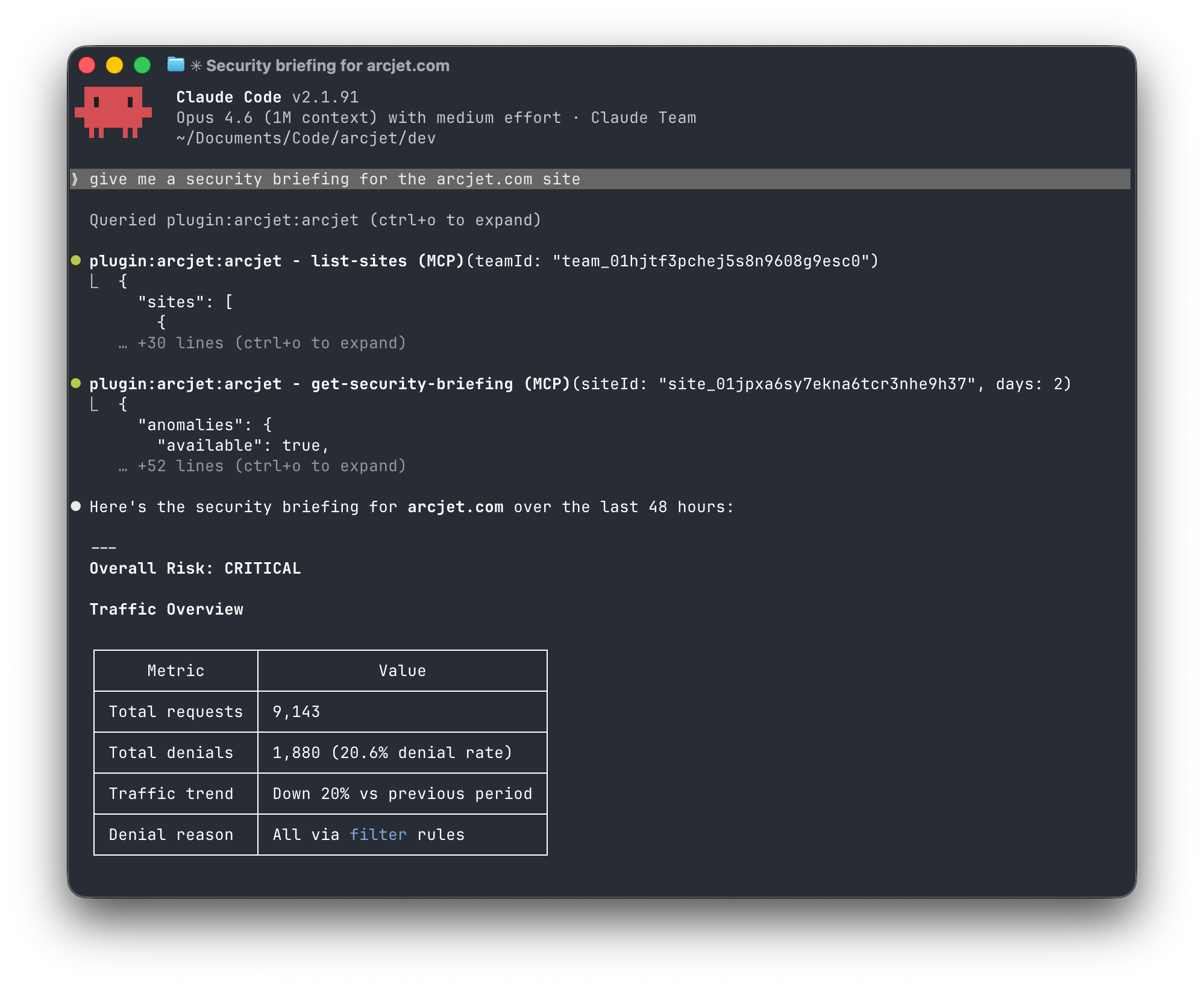
“Give me a security briefing for my production site.” (now also sent out every week via email, see below)
“Add bot protection to my marketing site — start in dry-run mode so I can check it’s not blocking real users.”
The full set of tools includes team and site management, listing requests, explaining decisions and request details, analyzing traffic patterns, investigating specific IPs, detecting anomalies, trigger a security briefing, list and manage remote rules.
Requesting a security briefing via the Arcjet MCP server.
Coding agent plugin
The Arcjet plugin for Claude Code and Cursor turns your AI coding agent into a security expert. It pre-loads knowledge of Arcjet, automatically injects the right guidance based on what you’re working on - framework-specific SDK patterns, protection rules, and best practices - and activates the Arcjet MCP server.
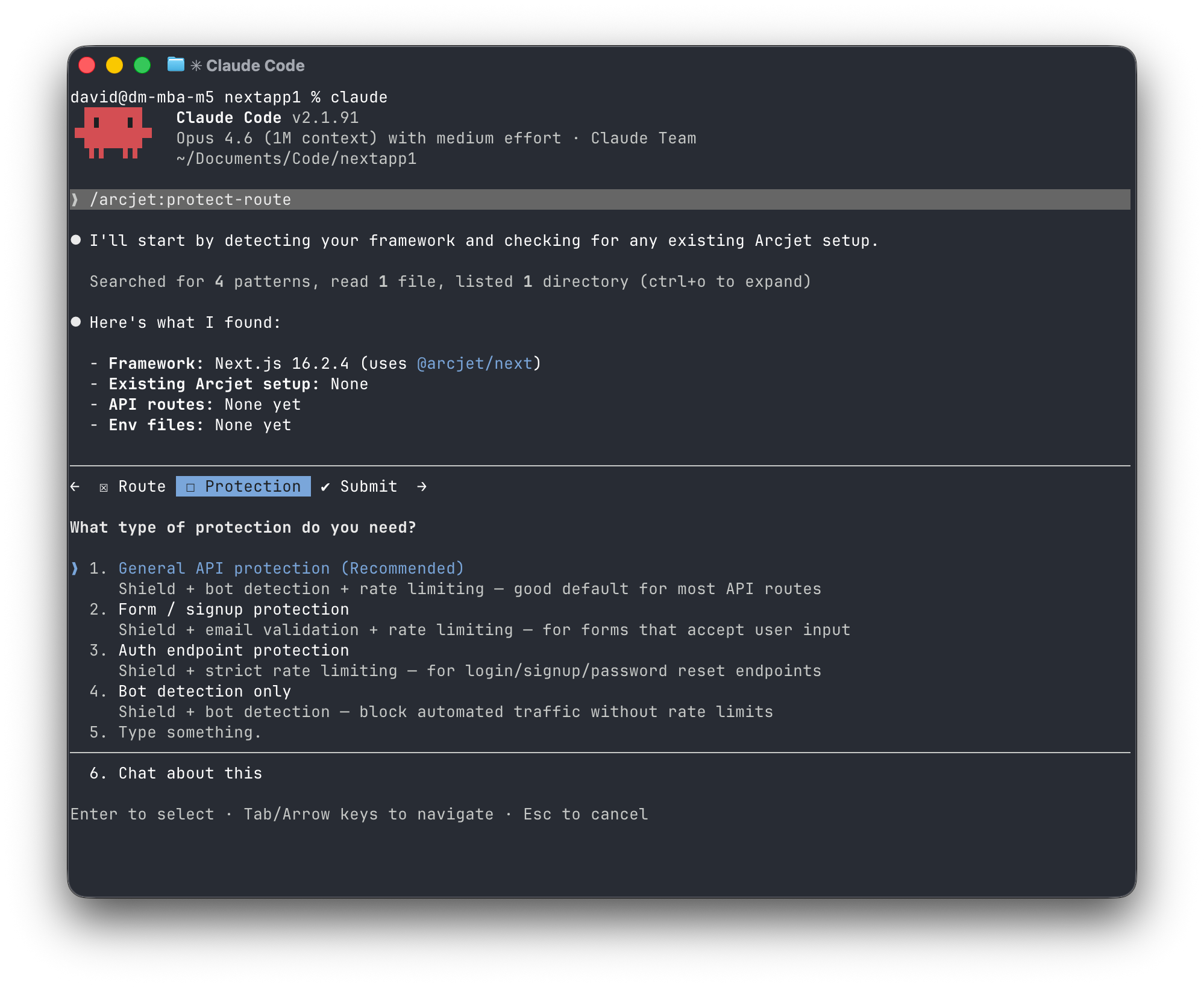
Install with: npx plugins add arcjet/arcjet-plugin then use one of the bundled skills to configure Arcjet:
/arcjet:protect-route - designed for web apps. Adds protection to route handlers with automatic framework detection.
Adding Arcjet to a new route with the Claude plugin.
Weekly security briefing email
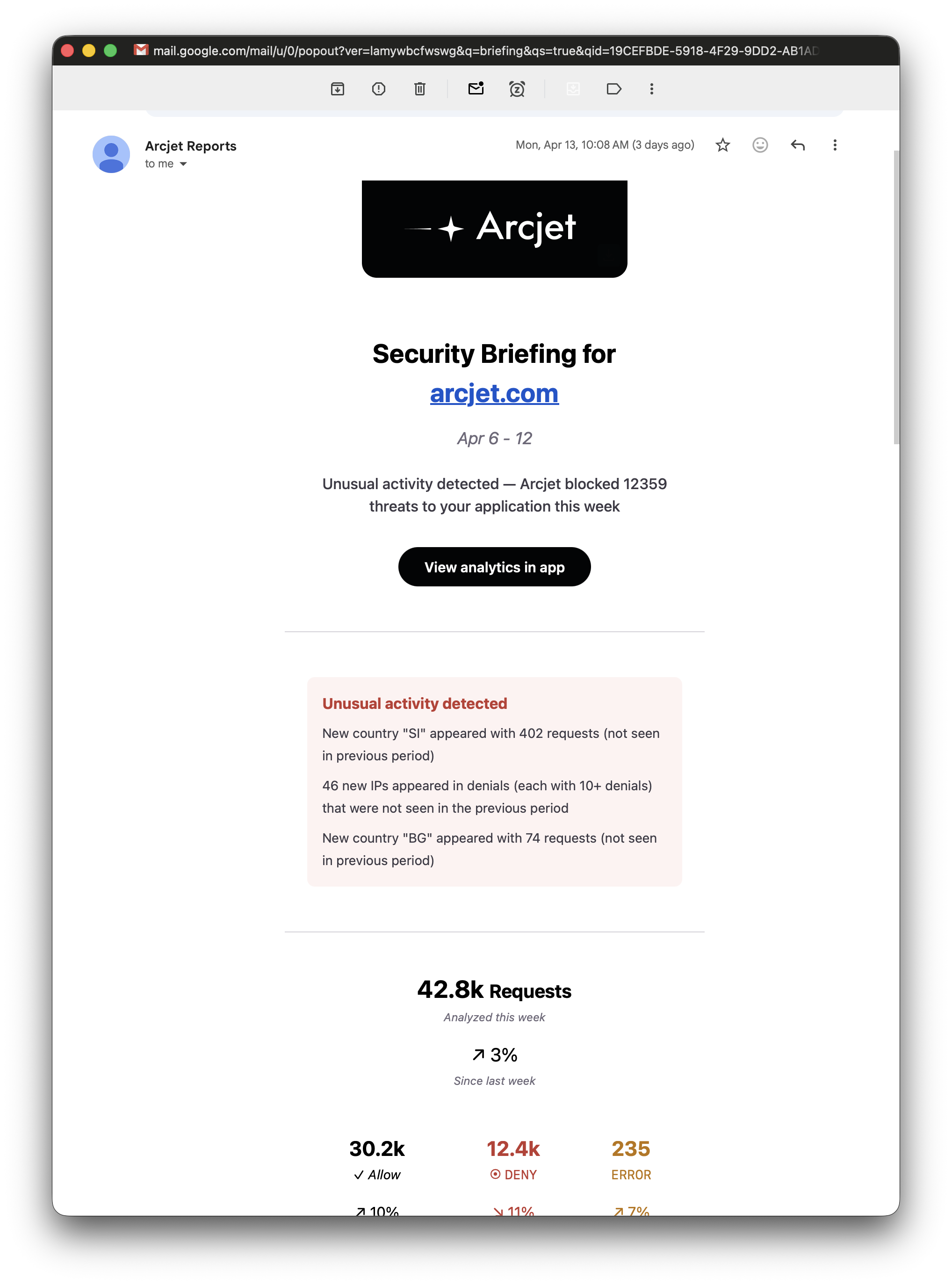
The weekly stats email has been upgraded to include a full security briefing for each site. Every site member will now receive the briefing every Monday summarizing the traffic Arcjet has processed in the previous week. This includes a traffic breakdown, top threats, anomalies, and recommendations to improve the security settings for your site.
The same data is available through the MCP server so you can trigger the briefing on demand.
Arcjet Signals are evaluated without a CAPTCHA and enforced when the request passes through a critical flow. The browser gives us signals. The application gives us intent.